Home
Home  Navigation


*Avowed*, a graphical marvel, immerses you in a richly detailed world. To fully appreciate its stunning visuals without sacrificing performance, optimizing your PC settings is key. This guide helps you strike the perfect balance between breathtaking graphics and smooth frame rates.
Recommended Videos **Related: Beginner’s Guide to *Avowed***
Understanding *Avowed*'s System Requirements
Before tweaking settings, ensure your PC meets Avowed's requirements.
Minimum Specifications:
- OS: Windows 10/11
- Processor: AMD Ryzen 5 2600 or Intel i5-8400
- Memory: 16 GB RAM
- Graphics: AMD RX 5700, Nvidia GTX 1070 or Intel Arc A580
- DirectX: Version 12
- Storage: 75 GB available space
Recommended Specifications:
- OS: Windows 10/11
- Processor: AMD Ryzen 5 5600X or Intel i7-10700K
- Memory: 16 GB RAM
- Graphics: AMD RX 6800 XT or Nvidia RTX 3080
- DirectX: Version 12
- Storage: 75 GB available space
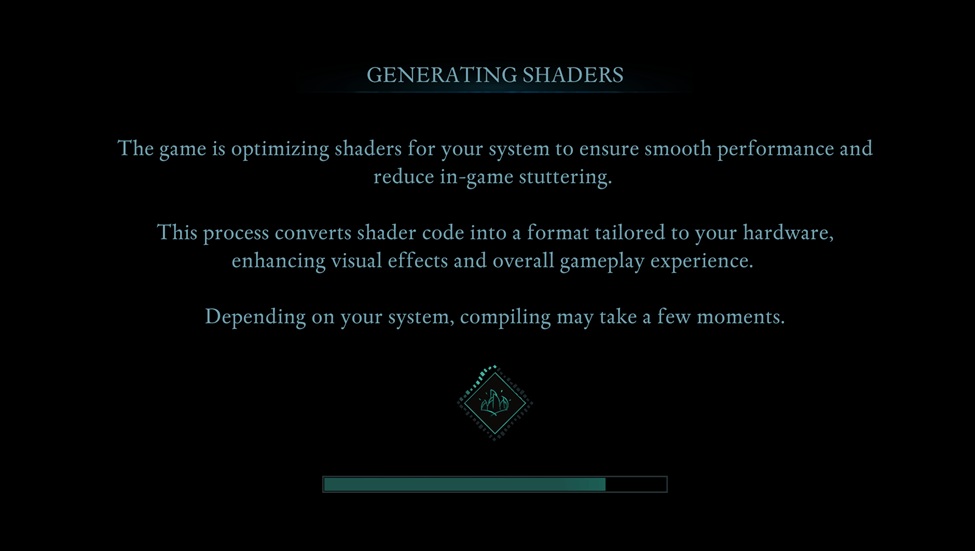
A system between minimum and recommended specs should provide decent FPS. Higher resolutions and refresh rates, however, demand a more powerful PC. Allow the game to generate shaders uninterrupted on your first run for optimal performance.
Optimizing Basic Graphics Settings
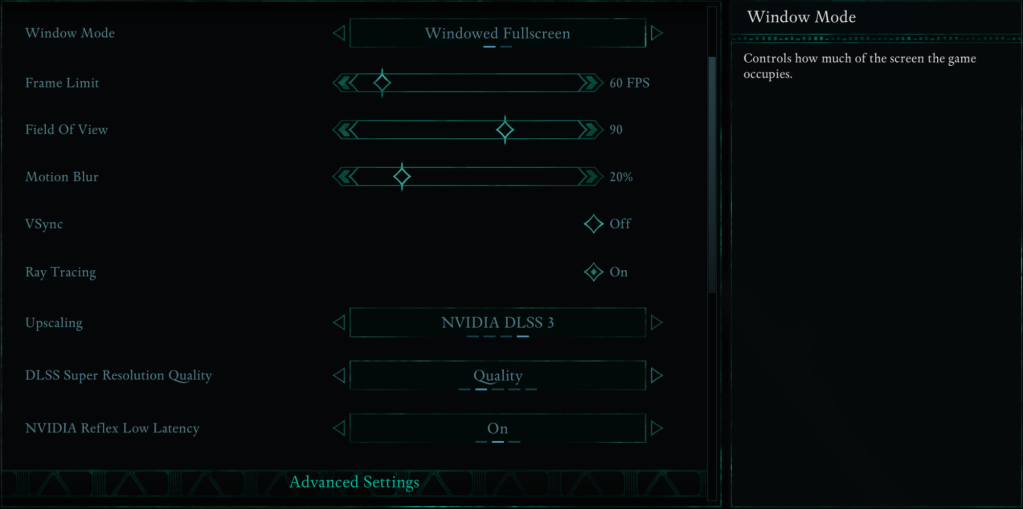
These settings significantly impact gameplay:
- Resolution: Use your monitor's native resolution for optimal sharpness.
- Window Mode: "Windowed Fullscreen" allows easy app switching; "Fullscreen Exclusive" minimizes input lag.
- Frame Limit: Match your monitor's refresh rate or set to 60 FPS for stability.
- VSync: Disable for reduced input lag, enable if you experience screen tearing.
- Field of View: Around 90 degrees provides a balanced view.
- Motion Blur: Disable for clearer visuals, especially during fast movement.
Advanced Graphics Settings Breakdown
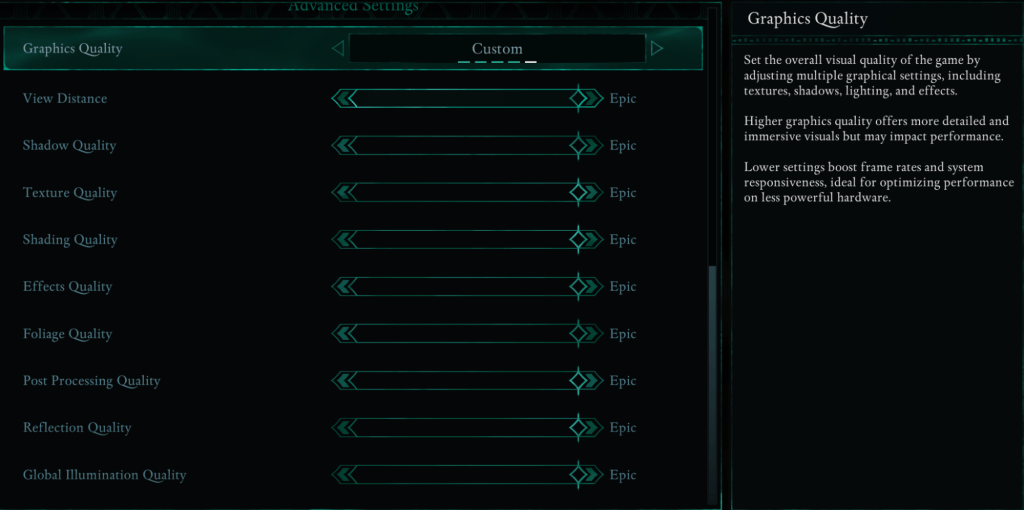
These settings control visual detail and performance. Lowering them boosts FPS without significantly impacting visuals.
| **View Distance** | Affects how far objects render. Higher settings increase detail, but lower FPS. |
| **Shadow Quality** | A major performance factor. Lowering this significantly improves FPS. |
| **Texture Quality** | Determines surface detail. Higher settings require more VRAM. |
| **Shading Quality** | Impacts lighting depth. Lowering it reduces realism but boosts performance. |
| **Effects Quality** | Controls visual effects (fire, magic). Higher settings look better but demand more GPU power. |
| **Foliage Quality** | Determines grass and tree density. Lowering improves FPS. |
| **Post Processing Quality** | Enhances visuals with effects like bloom and blur. Reducing it saves performance. |
| **Reflection Quality** | Impacts water and surface reflections. High settings look great but reduce FPS. |
| **Global Illumination Quality** | Controls realistic lighting. High settings improve atmosphere but impact performance. |
Best Settings for Different PC Builds
Here's how to optimize settings for various PC builds:
Recommended Settings for Low-End PCs (Minimum Requirements)
For PCs meeting minimum specs (GTX 1070/RX 5700, Ryzen 5 2600/i5-8400, 16GB RAM):
- Graphics Quality: Custom (Balanced between Low and Medium).
- View Distance: Medium
- Shadow Quality: Low
- Texture Quality: Medium
- Shading Quality: Low
- Effects Quality: Medium
- Foliage Quality: Low
- Post Processing Quality: Low
- Reflection Quality: Low
- Global Illumination Quality: Low
These settings should yield 50-60 FPS with acceptable visuals.
Recommended Settings for Mid-Range PCs (Recommended Requirements)
For PCs meeting recommended specs (RTX 3080/RX 6800 XT, Ryzen 5 5600X/i7-10700K, 16GB RAM):
- Graphics Quality: Custom (Mix of High and Epic).
- View Distance: High
- Shadow Quality: Medium
- Texture Quality: High
- Shading Quality: High
- Effects Quality: High
- Foliage Quality: High
- Post Processing Quality: High
- Reflection Quality: Medium
- Global Illumination Quality: High
High-end PCs can maximize all settings to "Epic" for the best visual experience.
*Avowed* is available now for PC and Xbox Series X|S.
 Latest Articles









 Latest Games