Home
Home  Navigation


In *Minecraft*, there are numerous reasons you might want to eliminate mobs. The most straightforward method to do this is by using the /kill command. However, this command has nuances that you need to understand to use it effectively. Here’s how you can target all mobs in *Minecraft*.
How to Use the Kill Command to Eliminate All Mobs in Minecraft
Before you can use the kill command, ensure you're in a world where cheats are enabled. If you're unsure how to turn on cheats, skip to the section below.
The /kill command is simple to execute; just type /kill in the chat box. However, doing so will result in your own demise, which isn't what we're aiming for. To target specific entities, you need to add some syntax before the /kill.
To eliminate all mobs, the command you need is:
/kill @e[type=!minecraft:player]
Here, @e refers to all entities, and the bracketed part specifies that you should not be killed.
You can also use the kill command to target specific types of mobs. For example, to remove all chickens, use:
/kill @e[type=minecraft:chicken]
You can even specify a distance. To kill all mobs within 15 blocks, the commands are:
kill @e[distance=..15] – Java Edition
kill @e[r=10] – Bedrock Edition
For a specific mob within 15 blocks, the commands are:
kill @e[distance=..15, type=minecraft:sheep] – Java Edition
kill @e[r=10,type=minecraft:sheep] – Bedrock Edition
Both versions of *Minecraft* will autocomplete these commands, so you don't need to memorize them. The kill command is user-friendly and you'll master it after a couple of tries.
There are other selectors besides @e that target different entities:
- @p – targets the nearest player
- @r – targets a random player
- @a – targets all players
- @e – targets all entities
- @s – targets yourself
How to Enable Cheats/Commands in Minecraft
The kill commands will only work in a *Minecraft* world where cheats are enabled. Here’s how to turn them on.
Java Edition
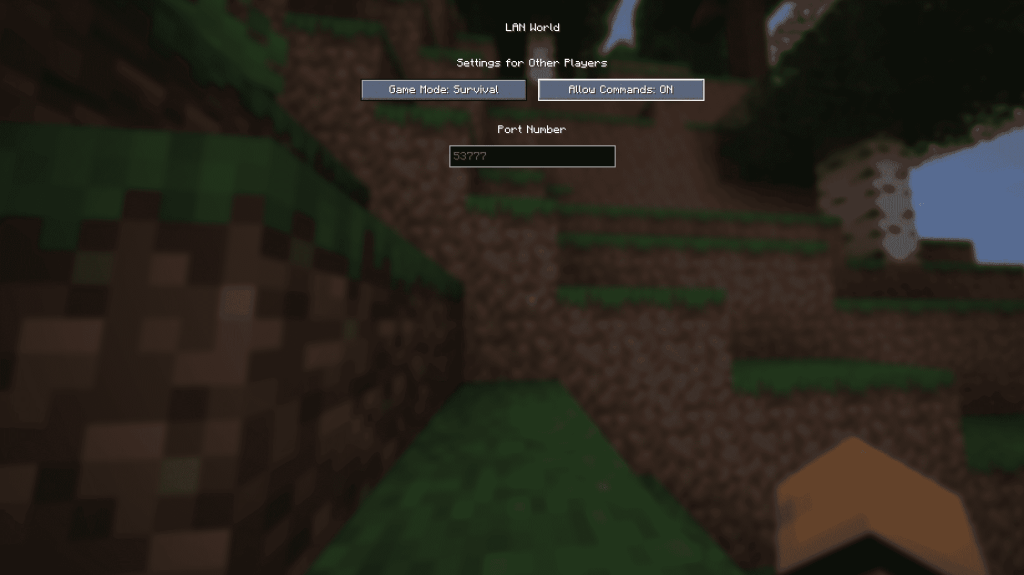
In your world, after loading in, press Esc and select "Open to LAN." You'll see an option labeled "Allow Commands"; set it to On. This will enable commands in your world, but you'll need to repeat this step every time you open your world. For a permanent solution, create a copy of your world with cheats enabled:
- Click on Singleplayer in the main menu to view your worlds.
- Select your world and click on "Re-create" at the bottom.
- In the new menu, set "Allow Commands" to On.
Bedrock Edition
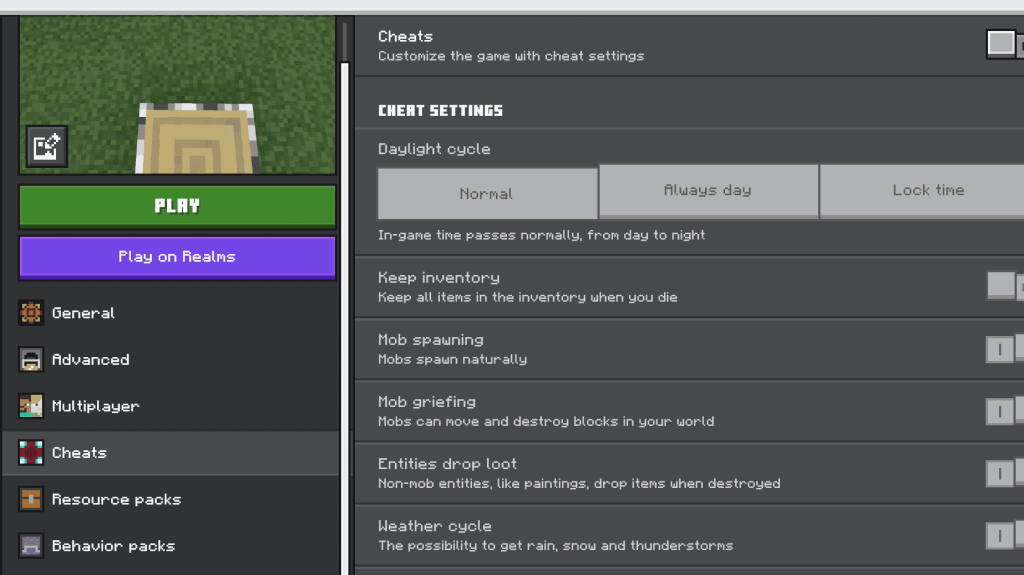
Enabling cheats in Bedrock Edition is straightforward. Navigate to your worlds, click on the pencil icon next to the world you want to enable cheats for. In the new menu, find the "Cheats" option at the bottom right. Toggle "Cheats" to On.
And that's all you need to know about using the /kill command to eliminate mobs in *Minecraft*.
Minecraft is available now on PlayStation, Xbox, Nintendo Switch, PC, and mobile.
 Latest Articles










 Latest Games