 Home
Home  Navigation


Hypic
Category:Photography Size:134.97 MB Version:4.2.0
Developer:Bytedance Pte. Ltd. Rate:3.3 Update:Apr 15,2025
 Application Description
Hypic APK is a revolutionary photo editor designed for Android users. This app stands out in the sea of apps available on Google Play, redefining the art of image editing. Hypic merges user-friendly interfaces with advanced editing tools, making it a go-to for amateur and professional photographers. Whether you're looking to enhance a casual snapshot or craft a professional-grade image, Hypic equips you with the tools you need right at your fingertips.
How to Use Hypic APK
- Download Hypic latest version
- Once installed, open the app and select the photo you want to edit from your device’s gallery.
- Explore a variety of editing options available within the app.
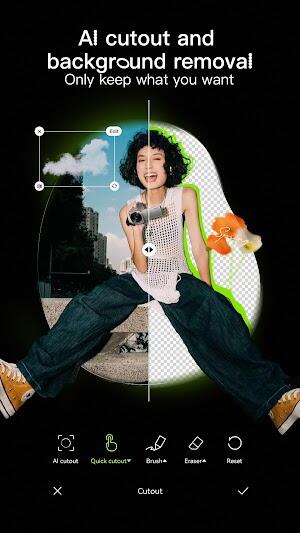
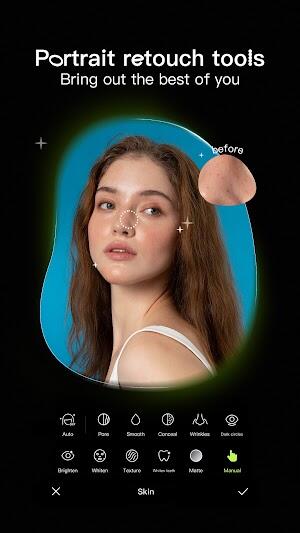
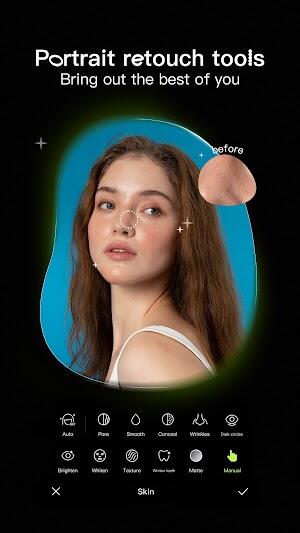
- Enhance your photos by including skin smoothing to give them a flawless finish.
- Experiment with facial reshaping features to adjust and highlight facial features.
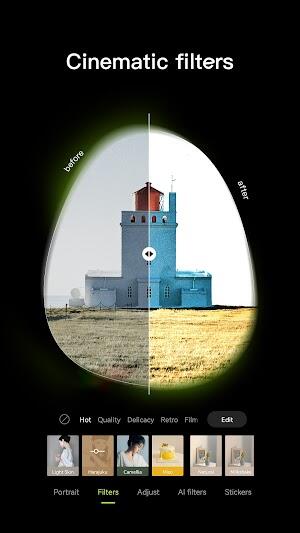
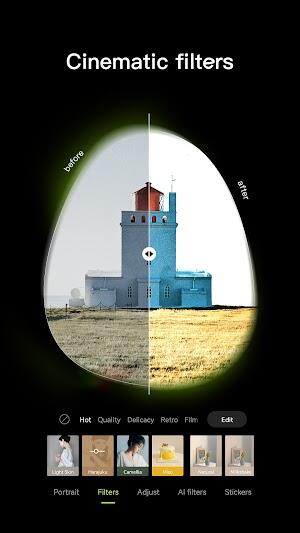
- Apply diverse filters to add artistic flair or set a specific mood in your photographs.
Innovative Features of Hypic APK
- Glowing Skin: The Hypic app transforms your images with its Glowing Skin feature. Achieve a radiant complexion in your photos with a simple single tap, making your skin appear naturally smooth and luminous.
- Natural Shape: Hypic takes body and face shaping to a new level. Users can subtly refine and enhance their features with the Natural Shape tool. This aspect of the app respects the uniqueness of each individual, ensuring modifications look natural and authentic.
- Sculpt Face: Want to add more definition to your facial features? Hypic's Sculpt Face feature allows you to do just that. With a few taps, you can sculpt and refine your facial contours, presenting a more refined version of yourself.
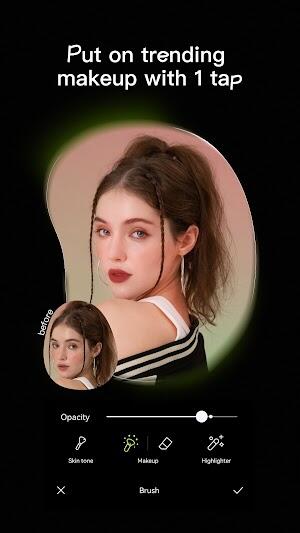
- Aesthetic Filters: The app offers a vast array of Aesthetic Filters, enabling users to inject artistic flair into their photos. These filters adapt to various moods and themes, offering endless creative possibilities.
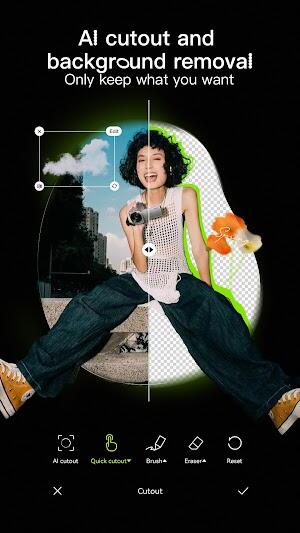
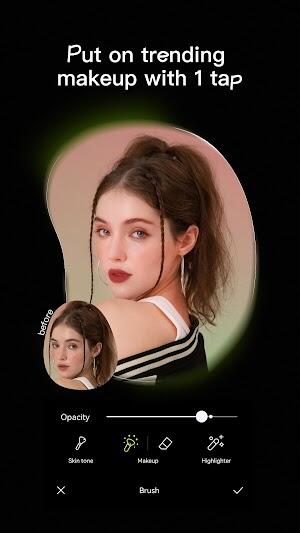
- All-encompassing Tool: As a multi-functional Photo Editor & AI Art tool, Hypic encompasses everything from background editing to adding makeup and text. This feature makes it an all-in-one solution for all your photo editing needs, making it indispensable for casual and serious photographers.
- Single Tap Ease: With Hypic, sophistication doesn't mean complexity. Many of its powerful features are accessible through a simple single tap, making professional-level photo editing accessible to everyone.
- Background and Makeup Tools: Dive into the versatility of changing backgrounds and applying virtual makeup. Whether it’s a scenic landscape or dramatic eye makeup, these tools in the Hypic app open up a realm of creativity for your images.
Best Tips for Hypic APK
- Explore Different Filters: Hypic offers a wide array of filters. Experiment with these to see how they transform your photos. Each filter can add a unique mood or tone, so try several to find your favorite.
- Master the Editing Tools: Familiarize yourself with the various editing tools in Hypic. Understanding how each tool works will help you enhance your photos precisely and creatively.
- Create Collages: Utilize Hypic to create collages. This is a great way to compile memories or showcase a series of images in an artistic format.
- Add Text to Photos: With Hypic, you can easily add text to your images. This feature is perfect for personalizing photos, adding captions, or creating unique social media posts.
- Be Bold and Experiment: Don't be afraid to be creative and try new things with Hypic. The app offers many great features to discover new styles and techniques.
- Regularly Update the App: Keep your Hypic app updated. Apps often add new features and improvements with each update, so staying current ensures you have access to the latest tools and enhancements.
Hypic APK Alternatives
- Adobe Lightroom: While Hypic focuses on Photo Editor & AI Art, Adobe Lightroom offers a more professional touch. Ideal for amateur and professional photographers, this app provides advanced editing features like color grading, selective adjustments, and a suite of preset filters. Lightroom's cloud syncing capabilities make it easy to work across different devices, ensuring your projects are always accessible.
- Pixlr: Another excellent alternative to Hypic is Pixlr. This app stands out with its user-friendly interface, making it a great option for those who want simplicity combined with powerful editing capabilities. Pixlr offers a variety of filters, overlays, and text options, catering to those who desire quick yet effective photo enhancements. Its collage feature is particularly noteworthy, allowing users to create visually appealing compositions effortlessly.
- Canva: Diverging slightly from the traditional Photo Editor focus of Hypic, Canva positions itself as a comprehensive design tool. It is particularly useful for creating social media graphics, posters, and other visual content. Canva includes a photo editor with basic to advanced features and an extensive library of templates, fonts, and design elements. This app is ideal for users who blend photo editing with graphic design.
Conclusion
Hypic MOD APK is a beacon of innovation and ease. Its user-friendly interface and plethora of editing tools make it a top choice for enhancing digital imagery. Hypic provides a platform to unleash your creativity and transform ordinary photos into extraordinary art pieces, whether a novice or a seasoned photographer.
Screenshot
 Reviews
Post Comments
Apps like Hypic
Reviews
Post Comments
Apps like Hypic
-
 ToonMe - cartoons from photosDownload
0.6.103 / 42.71M
-
 Barcode Price check ScannerDownload
1.65 / 9.90M
-
 Hoji Cam: Analog Film FilterDownload
1.0.0.1 / 30.80M
-
 Slidebox - Photo CleanerDownload
2.45 / 13.36M
Latest Articles
-
Wild Rift 6.2 Update Arrives with Fresh Theme Dec 19,2025

League of Legends: Wild Rift Prepares Major 6.2 Update Wild Rift's version 6.2, titled Powers Unbound, launches July 17 with the Soulforce Awakening theme. The update introduces new champions, item reworks, gameplay adjustments, behavior systems, an
Author : Samuel View All
-
Rune Giant Event: Top Clash Royale Decks Dec 18,2025
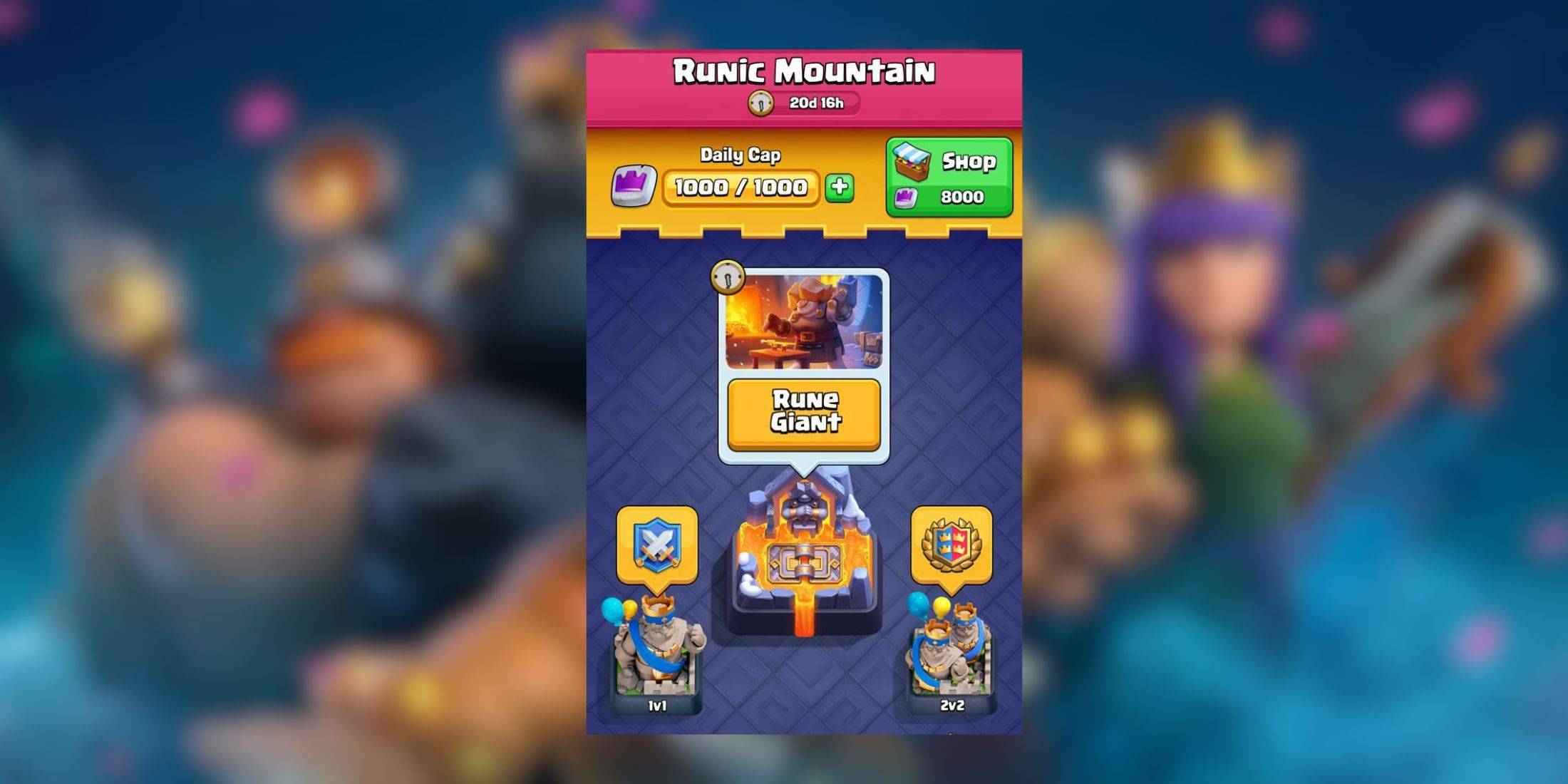
Gear up for more intense battles as Clash Royale introduces its latest event: Rune Giant. Starting on January 13, this event will run for seven days as usual.As the name suggests, the Rune Giant takes center stage in this event, so you'll want to bui
Author : Benjamin View All
-
The second season of The Last of Us is fully underway (episode two just aired), making now the perfect time to subscribe to Max. If you've been looking for the right moment to explore its extensive library, this limited-time discount on annual plans
Author : Chloe View All
Topics

Stay informed with the best news and magazine apps for iPhone! This curated collection features top-rated apps like Al Hadath, De Telegraaf nieuws-app, POLITICO, Turkish Kutsal Kitap, Local News - Latest & Smart, Tamil Kadhaigal - Stories, Devotees NS Undoer of Knots, FOX LOCAL: Live News, WKBW 7 News Buffalo, and NBC4 Columbus, offering diverse news sources and perspectives. Find your perfect app for breaking news, in-depth analysis, and local updates, all on your iPhone. Download now and stay connected!






 Latest Apps
-
Tools 1.5 / 29.30M
-
Communication 1.3.6 / 2.99 MB
-
Tools 1.0 / 73.1 MB
-
Entertainment 1.0.36 / 27.7 MB
-
Art & Design 1.9 / 31.9 MB



 Trending apps





 Top News


- Battlefield Fans Are Digging the Leaks, and EA Hasn't Taken Them Down Yet Mar 14,2025
- Roblox Forsaken Characters Tier List [UPDATED] (2025) Apr 03,2025
- How To Use the Great Sword in Monster Hunter Wilds: All Moves and Combos Mar 26,2025
- How To Get the Shane Gillis & Sketch Cards in EA Sports College Football 25 Apr 10,2025
- Capcom Spotlight Feb 2025: Monster Hunter Wilds, Onimusha Unveiled Mar 27,2025
- Como buscar e filtrar criaturas no inventário do Pokémon GO Mar 18,2025
- Assassin's Creed: Shadows' Combat & Progression Revealed Mar 13,2025
- GWENT: The Witcher Card Game – Top 5 Best Decks & How to Use Them (Updated 2025) Feb 26,2025
