Home
Home  Navigation


Marvel Rivals, NetEase's hero shooter, has quickly become the gaming community's newest obsession. However, as with many popular multiplayer games, it's not without its issues. While some problems are minor, one particular glitch is making the game nearly unplayable. Here's a guide to resolving FPS drops in Marvel Rivals.
How To Deal With Marvel Rivals Dropping FPS
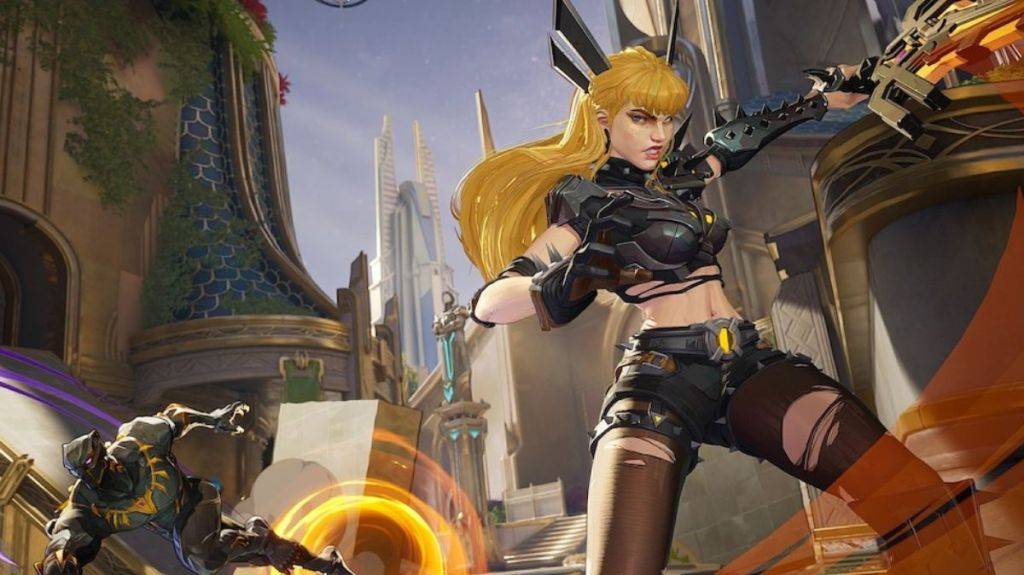
FPS, or frames per second, measures how many images your game displays each second. Many games allow you to monitor your FPS to ensure optimal performance. While this feature is helpful, it can also be frustrating—watching your FPS drop not only impacts gameplay but can also affect your focus during matches.
Numerous players have taken to platforms like Reddit and Steam to discuss FPS problems in Marvel Rivals. Although it was a minor issue at launch, it became more widespread after the Season 1 update. This has prompted players to explore various solutions to improve performance.
One effective method for addressing FPS drops in Marvel Rivals is reinstalling GPU drivers. By accessing Windows settings, you can navigate to graphics options and enable GPU acceleration. Some players discovered they had disabled this setting for another game and never re-enabled it, inadvertently limiting Marvel Rivals' performance.
Related: Is Marvel Rivals Cross-Progression? Answered
Another solution involves reinstalling the game on an SSD. Games typically load faster and run more smoothly when stored on a solid-state drive rather than a standard hard drive. This simple switch might be exactly what Marvel Rivals needs to restore smooth gameplay.
If these fixes don't resolve the issue, your best option might be waiting for an official patch from NetEase. The developer has demonstrated responsiveness in addressing similar problems, including an FPS-related bug that reduced damage output for certain characters. While taking a break from such a popular game might be disappointing, it's preferable to struggling with persistent performance issues. Consider using this time to tackle your gaming backlog or catch up on that show you've been meaning to watch.
These steps should help you resolve FPS drops in Marvel Rivals.
Marvel Rivals is currently available on PS5, PC, and Xbox Series X|S.
 Latest Articles








 Latest Games